What an EPG is
EPG stands for electronic programme guide: the list of programmes on each channel, with their times. IPTV providers publish it alongside their channels, usually as an XMLTV file, and a player matches each channel to its programmes.
Getting it in Yagi
- Sign in with Xtream Codes. The guide comes with an Xtream Codes login, so Yagi loads it by itself, with nothing more to set up. If you added an M3U link with username= and password= in it, Yagi offers to switch to Xtream Codes for you.
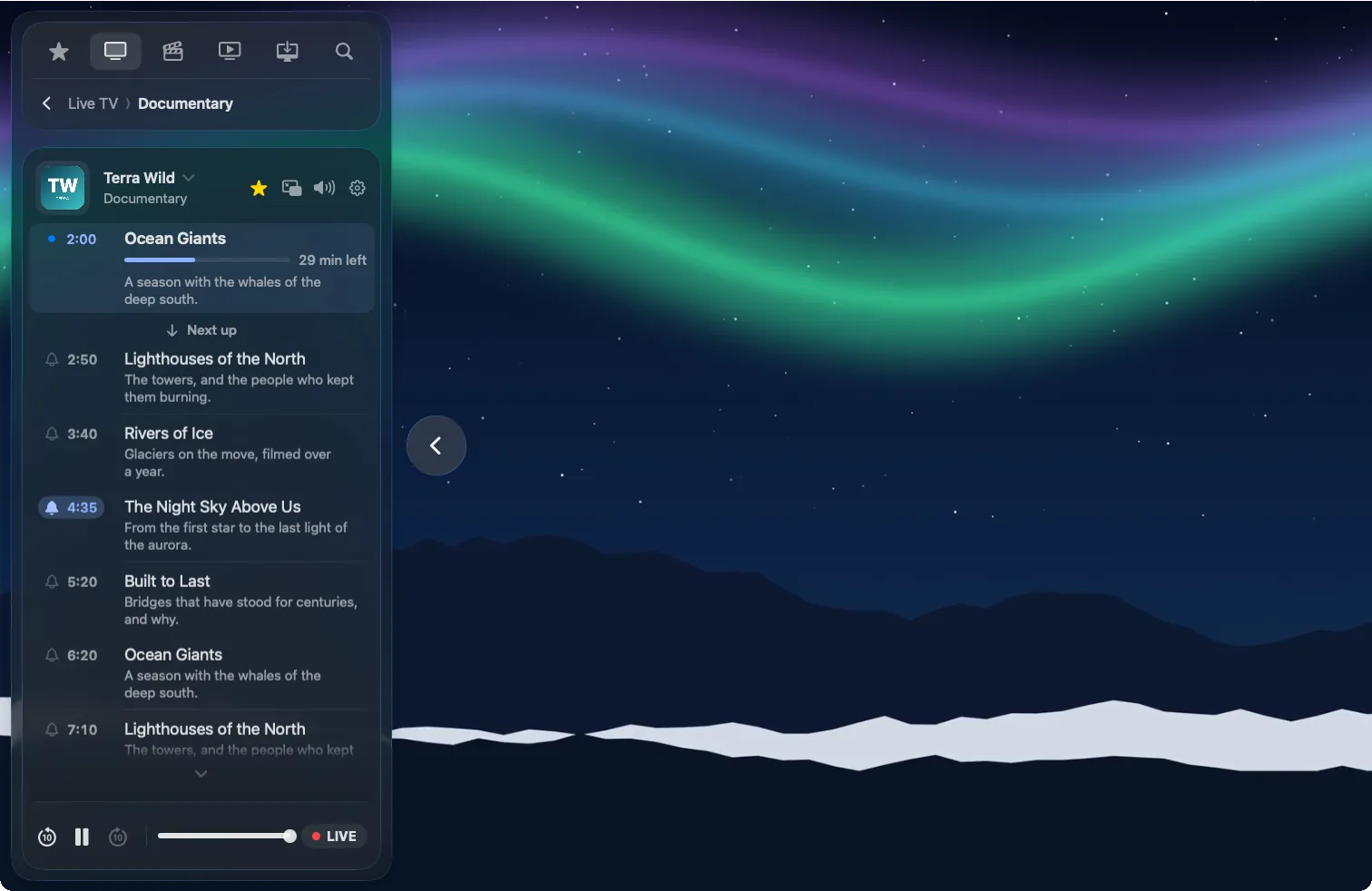
- Play a channel. What's on now and what's next appear with it, with the time left.
- Open the guide. Open the channel's TV guide beside the picture to see the rest of the day. Tap a programme to switch to it.
- Set a reminder. Tap the bell beside a programme and allow notifications when asked. Yagi lets you know just before it starts, on all your devices.
Why a channel shows no guide
- Your provider has no guide for it. Not every channel is matched to guide data. Yagi says "No TV guide from the provider right now" when the provider sends nothing for that channel.
- It's an M3U playlist. Yagi doesn't show a guide for M3U links today. If your provider also gives you an Xtream Codes login, use that.
- The guide ran out. How far ahead it goes is up to your provider, often a day or a few days. Yagi reads the guide again every day, and you can refresh the playlist to read it now.
