- Yagi
- Xtream Codes player
Xtream Codes player
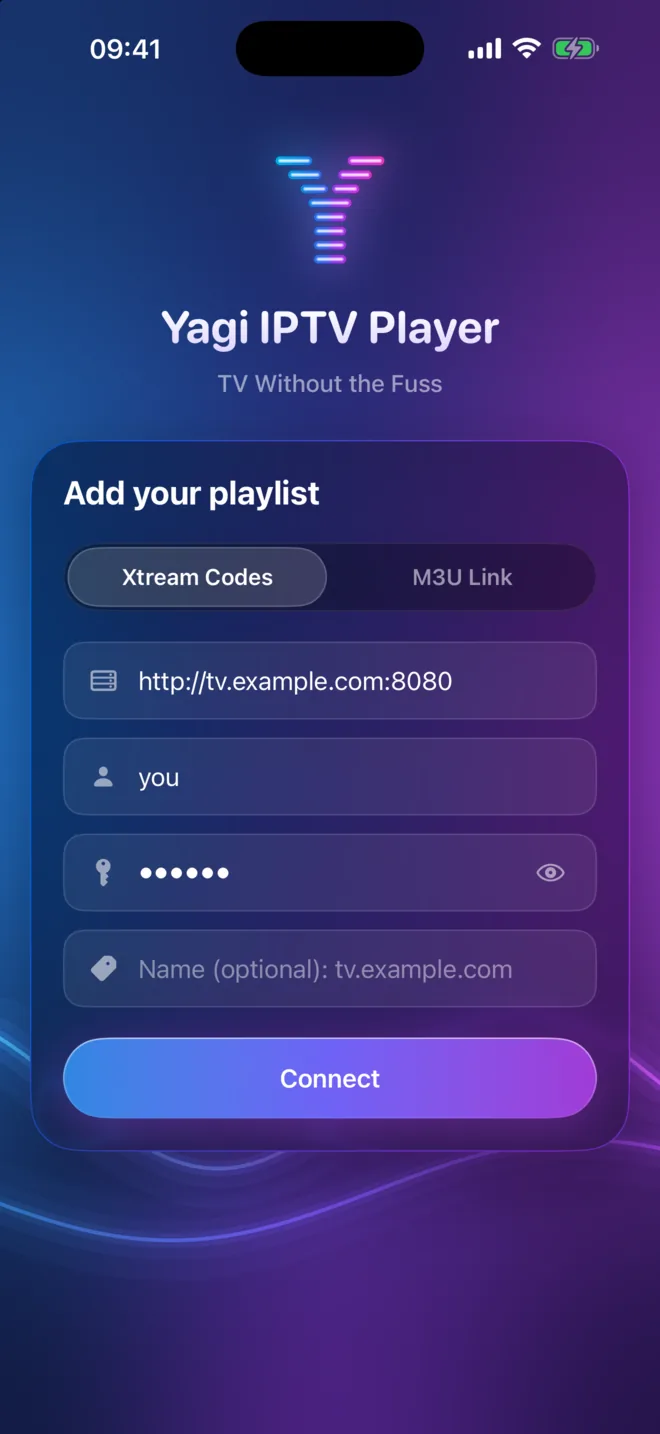
Your Xtream Codes login, all of it.
Sign in with the server, username and password from your provider and Yagi brings in everything the login offers: live channels, movies, series and the TV guide, on iPhone, iPad and Mac.
Free for 7 days. Then $0.99 a month or $9.99 a year, on iPhone, iPad and Mac. Cancel anytime in your App Store settings. Prices in your App Store may differ by country. Works with Family Sharing.
What an Xtream Codes login is.
Many IPTV providers give you three things: a server address (like http://tv.example.com:8080), a username and a password. That's an Xtream Codes login. Unlike a plain playlist file, it lets a player ask the provider for its live channels, its movie and series library and its program guide, all kept up to date.
Yagi uses every part of it. Enter the three values once, on any of your devices, and they're kept safely in your own iCloud for the others.
What you get from it in Yagi
Live TV
Every channel, in your provider's groups, with pause and up to 2 hours of rewind.
Movies
Your provider's library, with continue watching across devices.
TV Shows
Series with their seasons and episodes, and Download All Episodes.
TV guide
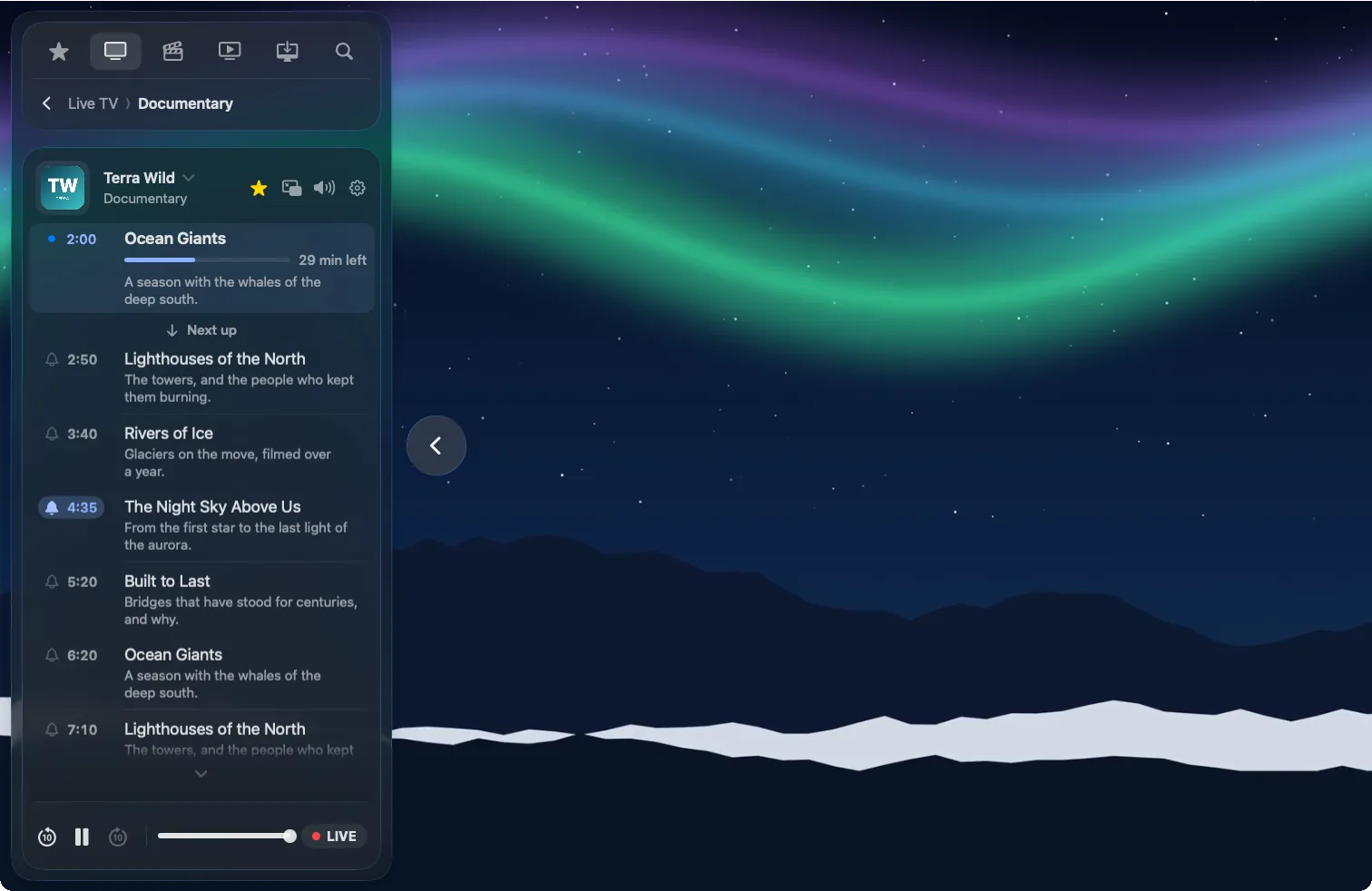
Now, next and the day ahead for every channel, beside the picture.
Reminders
A bell on any program, and a notification just before it starts.
One search
Channels, upcoming programs, movies and series, all at once.
The guide comes with it.
Because an Xtream Codes login carries your provider's program guide, every channel in Yagi shows what's on now with the time left and what's next. Open the guide beside the picture for the rest of the day, tap a program to switch, and set a bell for the ones you don't want to miss. Reminders sync to your other devices.
Tidy it the way you like.
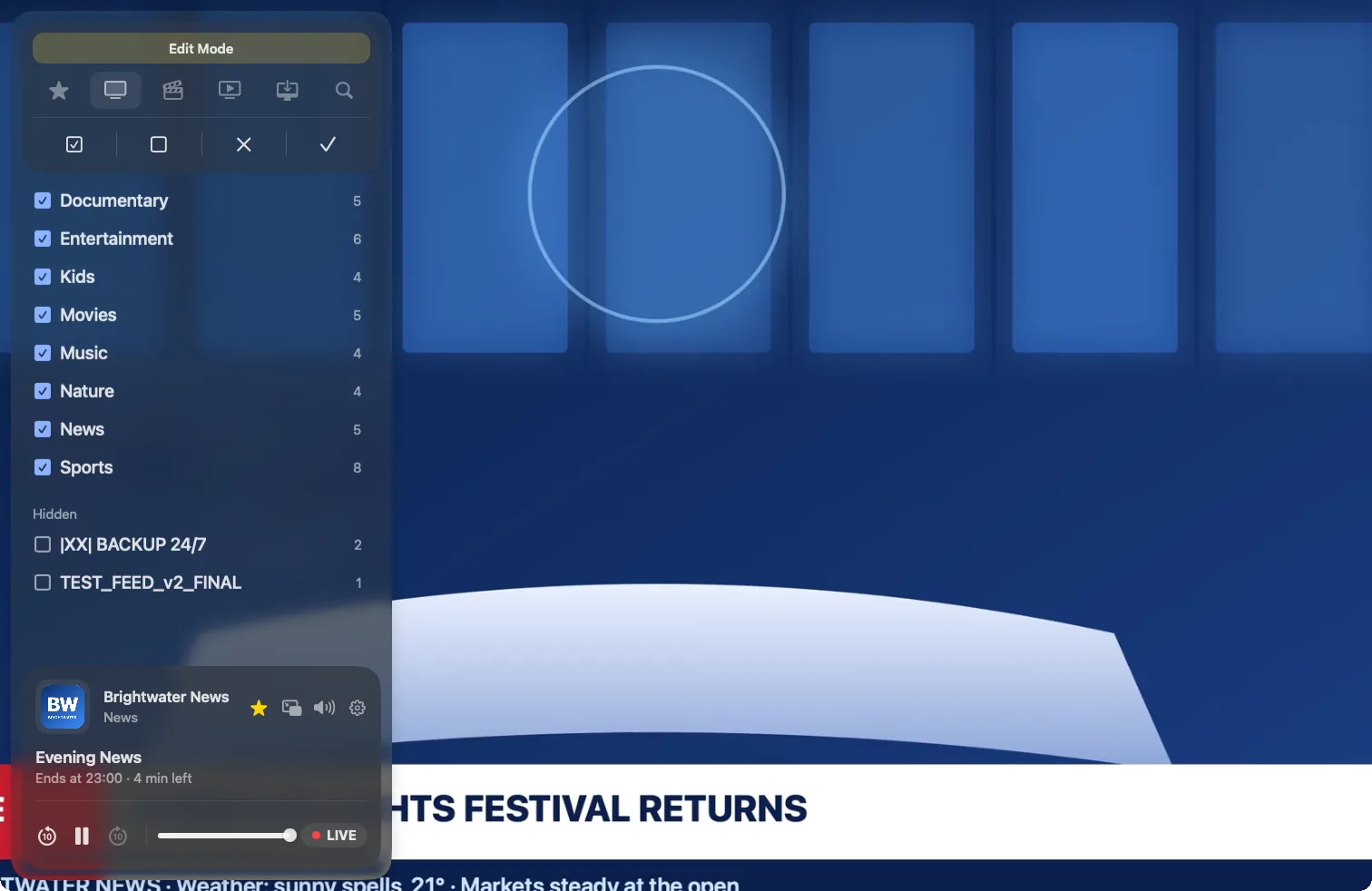
Providers often send hundreds of groups. Hide the ones you never watch, rename channels, shows and groups to something you recognize, and star your favorites to keep them at the top. Your changes survive the daily refresh and follow you to every device.
Xtream Codes or M3U?
If your provider offers both, choose Xtream Codes: it brings more.
| In Yagi | Xtream Codes login | M3U link |
|---|---|---|
| Live channels | Yes | Yes |
| Movies and TV Shows | Yes | Yes (not categorized) |
| TV guide and reminders | Yes | No |
| Pause and rewind live TV | Yes | Yes |
| Favorites, renaming, hiding groups | Yes | Yes |
| Refreshes by itself daily | Yes | Yes |
…/get.php?username=…&password=… are often an Xtream Codes login in disguise. Paste it as an M3U link and Yagi spots it and offers to use Xtream Codes, guide included.Questions
Where do I find my Xtream Codes login?
In the email or account page your IPTV provider gave you when you subscribed. Look for a server or portal address, a username and a password. If you only have an M3U link, ask your provider for the Xtream Codes details, or paste the link: Yagi can often read the login from it.
Does the server address need the port?
Enter it exactly as your provider gives it, including the port after the colon if there is one, such as :8080.
Can I add more than one Xtream Codes login?
Yes. Add each one in Yagi and switch between them whenever you like.
Why does a channel play in another app but stop in Yagi?
Many accounts allow only one or two streams at a time. Stop playback on your other devices and apps, then try again. Yagi reconnects by itself when a stream stalls.
Does Yagi come with an Xtream Codes login?
No. Yagi is a player and doesn't provide any channels. Use a login from a provider you're entitled to use.
Keep reading

Try Yagi free for 7 days.
On iPhone, iPad and Mac, with the Xtream or M3U playlist from your own provider. No account, no ads, no tracking.
Download on the App StoreFree for 7 days. Then $0.99 a month or $9.99 a year, on iPhone, iPad and Mac. Cancel anytime in your App Store settings. Prices in your App Store may differ by country. Works with Family Sharing.
Yagi doesn't come with channels: it plays the playlist from your own provider.