- Yagi
- M3U player
M3U player
Paste an M3U link. Watch.
Yagi plays the M3U playlist from your provider on iPhone, iPad and Mac: paste its address once and its channels, movies and shows are ready on all your devices, with favourites, pause and rewind, and Picture in Picture.
Free for 7 days. Then £0.99 a month or £9.99 a year, on iPhone, iPad and Mac. Cancel any time in your App Store settings. Prices in your App Store may differ by country. Works with Family Sharing.
What an M3U playlist is.
An M3U playlist is a list of streams, one after another, each with a name and often a group and a logo. Providers share it as a link that usually ends in .m3u or .m3u8, like https://tv.example.com/playlist.m3u.
In Yagi, choose M3U Link, paste the address, and give it a name if you like. Yagi reads the channels, sorts them into their groups, and checks the link again by itself once a day, so new channels just appear.
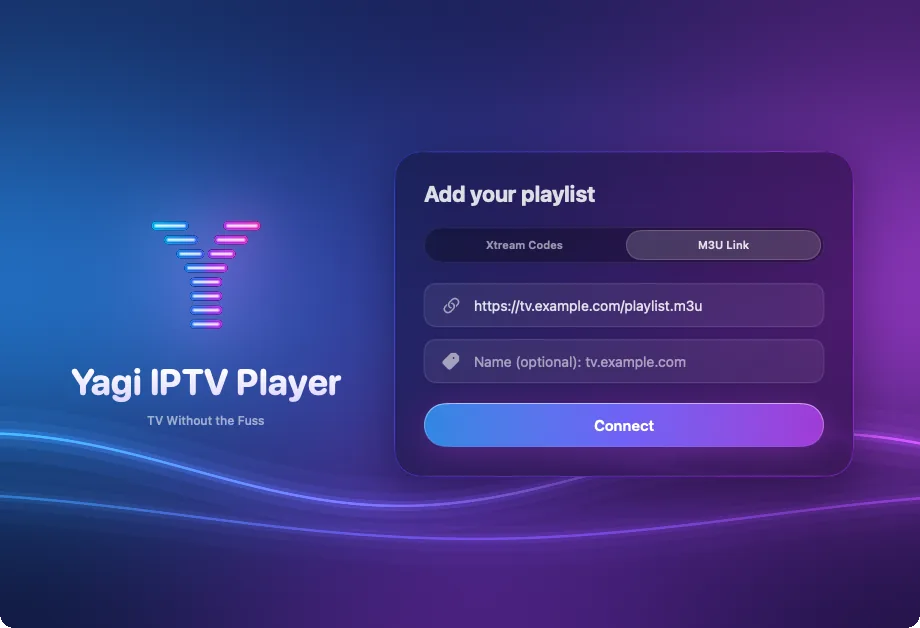
What you get from an M3U link
Everything in the playlist
Every channel, movie and show in the playlist, in its groups, ready to play.
Pause and rewind
Pause live TV and skip back up to 2 hours, then catch up.
Favourites
Star the channels you come back to; they're at the top on every device.
Rename and hide
Give channels and groups names you recognise, and hide the rest.
Picture in Picture
Keep a channel in the corner while you do something else.
iCloud sync
Your playlist and favourites on iPhone, iPad and Mac.
Yagi spots an Xtream login in disguise.
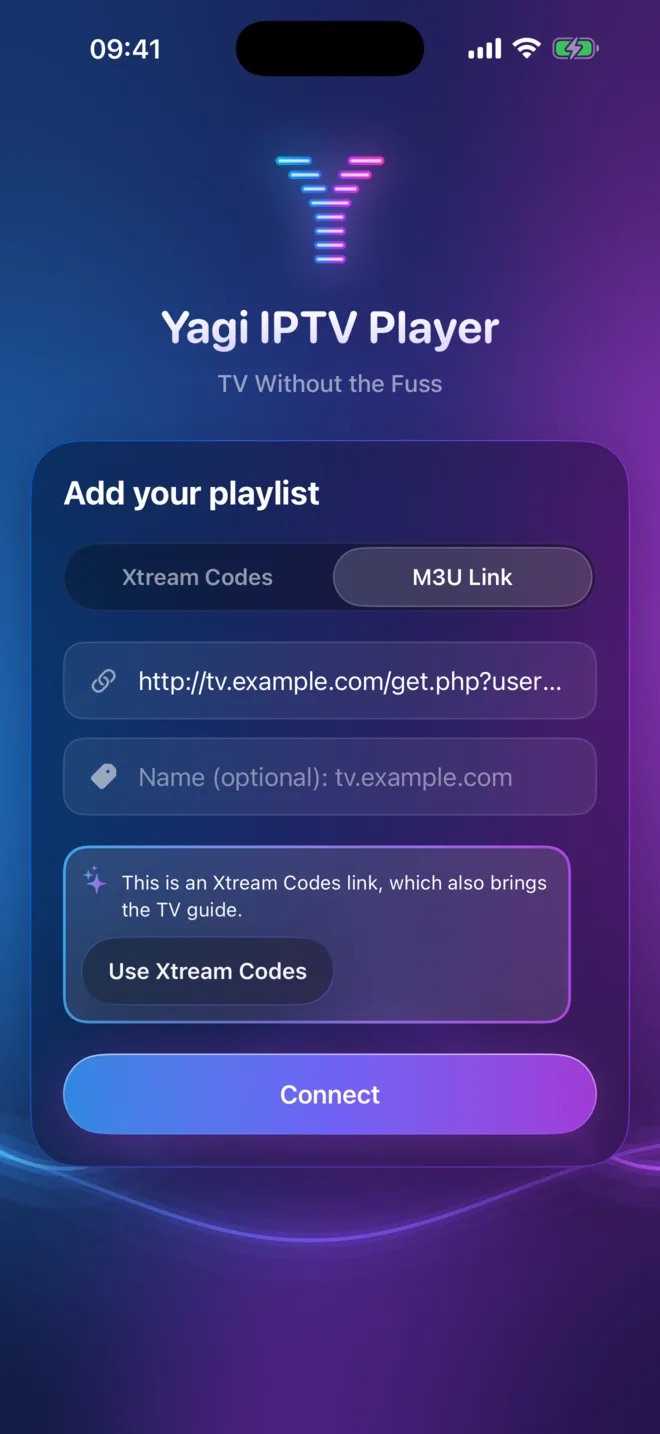
Some M3U links carry a username and password, like …/get.php?username=…&password=…&type=m3u_plus. Those come from an Xtream Codes server. Paste one and Yagi says so, with a button to switch to Xtream Codes, so you get the guide, movies and series from the same login.
Questions
Can Yagi open an M3U file saved on my device?
Yagi plays M3U playlists from a link, so it can refresh them by itself every day. If you have a file, ask your provider for its address.
What's the difference between .m3u and .m3u8?
For a playlist they're the same list of channels; .m3u8 just says the text is UTF-8. Paste either one.
Does Yagi show a TV guide for M3U playlists?
Not today. The guide and reminders come with an Xtream Codes login.
Does Yagi come with an M3U playlist?
No. Yagi is a player and doesn't provide any channels. Use a playlist from a provider you're entitled to use.
Keep reading

Try Yagi free for 7 days.
On iPhone, iPad and Mac, with the Xtream or M3U playlist from your own provider. No account, no ads, no tracking.
Download on the App StoreFree for 7 days. Then £0.99 a month or £9.99 a year, on iPhone, iPad and Mac. Cancel any time in your App Store settings. Prices in your App Store may differ by country. Works with Family Sharing.
Yagi doesn't come with channels: it plays the playlist from your own provider.